Team Password Manager

Web password management software for groups. Secure and easy to use. Free for 2 users.

 
Team Password Manager

Give better service

Focus on your work: password management shouldn't be an issue for your team

Improve team organization

Use Team Password Manager as a centralized password repository

Keep passwords organized

Group passwords into projects to better organize them

Share passwords securely

With the other members of your team, customers, partners, users or providers


Why a Password Manager for Teams?

Most password managers on the market today are personal password managers or enterprise password managers. Personal password managers do a good job storing and sorting passwords for individuals. Enterprise password managers help employees of a company manage the passwords for the applications they use inside the company.

What both types of applications lack is a means of sharing passwords.

Team Password Manager is a multiuser password management system.

It is designed for managing passwords that need to be shared between more than one person: the members of your team, your clients, your partners, or anyone that needs it.

It's the perfect password manager for organizations or teams that use lots of password data: IT support companies, IT departments, web agencies, ...


Share passwords securely

Features

Multiuser

Designed from the ground up to be a group based password manager. Each user has a login credential to access the system and view/manage the passwords needed for his/her work

Manages passwords efficiently

It groups passwords into projects for better organization. You can have any number of projects and any number of passwords for each project

Secure

Password data is stored encrypted with the latest encryption technology (AES-256), with your own encryption key

Self hosted

Install it on your own server, so that you can control your data. It uses standard PHP/MySQL technology

Easy to use and manage

It's a simple and focused application, so that it's very easy to learn and use for end users and administrators

Quick accesses

The 5 latest used projects and passwords are always shown for quick access

Web based

Once installed, anyone can access the application with a browser, from anywhere

Free version

There's a free version with a maximum of 2 users and 5 projects, with no time limit => Start using it now

Screenshots

password entries
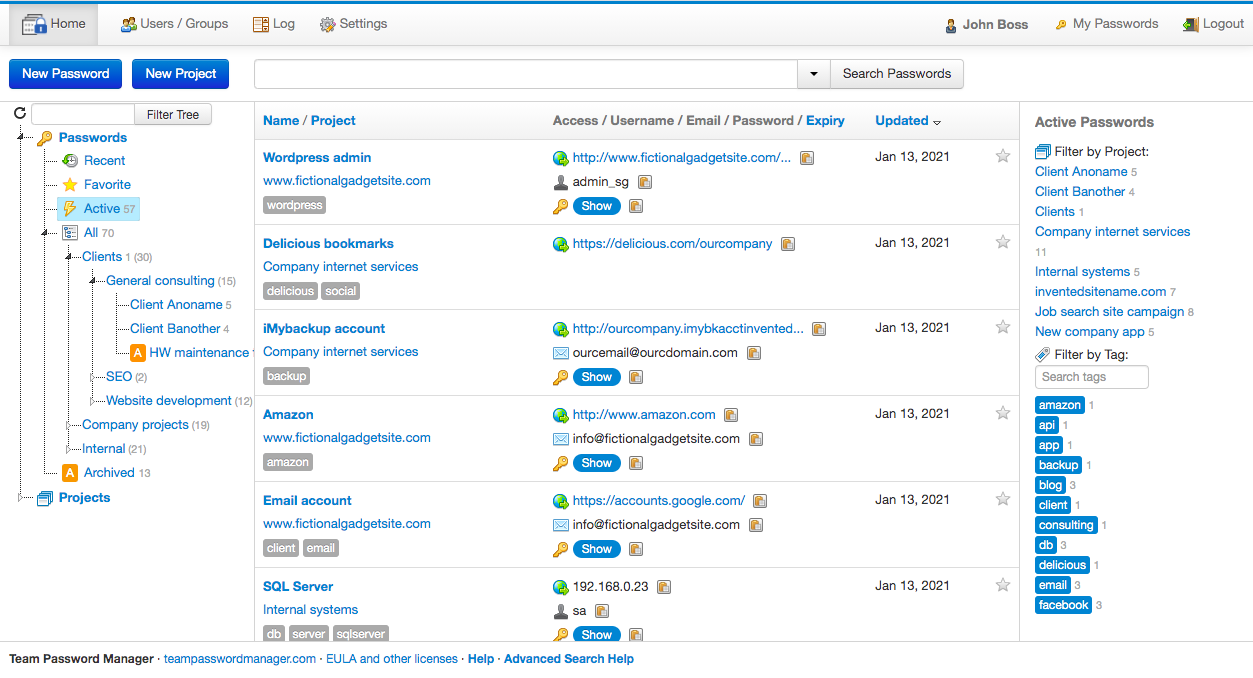
Main list of password entries
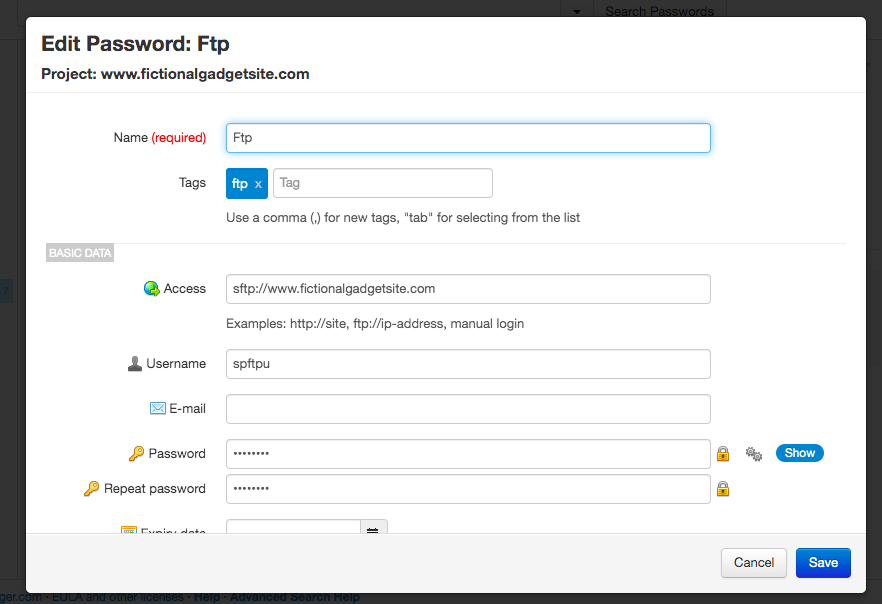
Adding a password entry

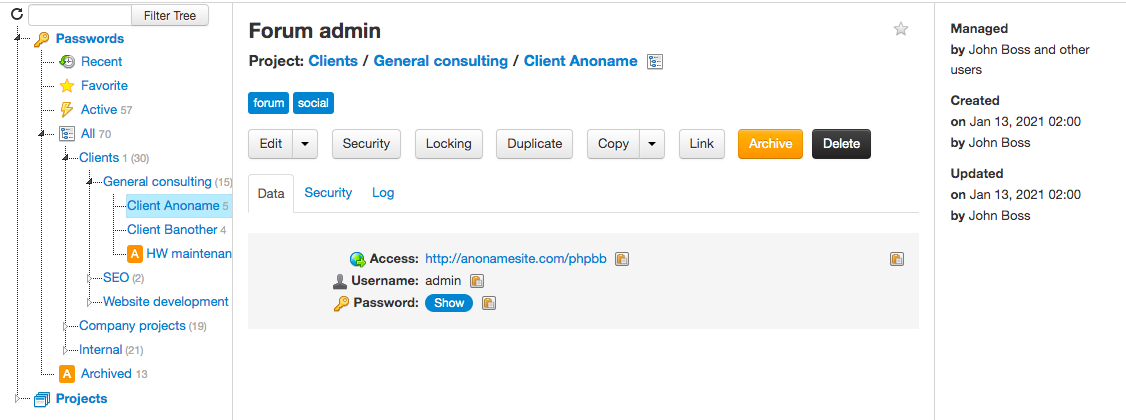
Viewing a password entry
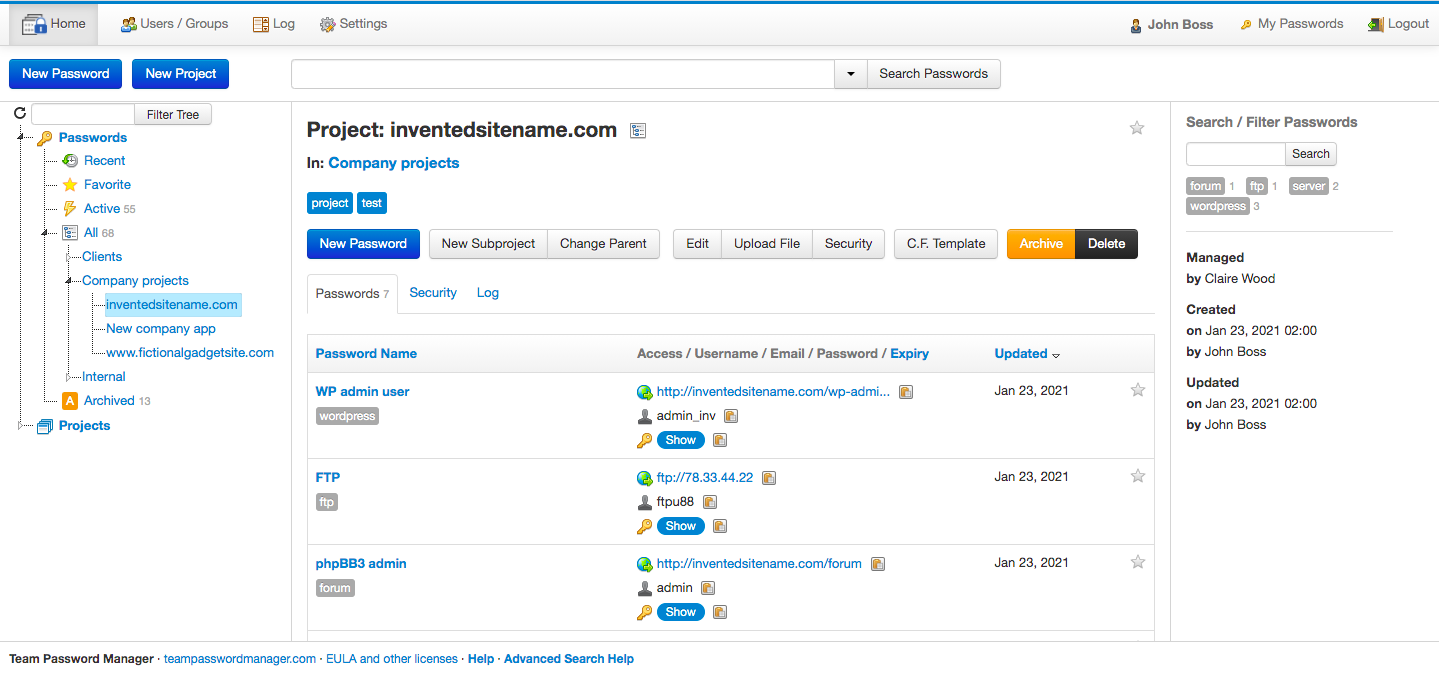
Passwords in a project

Who needs Team Password Manager

IT support companies

These companies manage thousands of passwords, codes, access credentials and sensitive data for hundreds of customers. All this critical information must be shared among different technicians of the company (who are normally on the road or on the customers premises), as well as by their customers.

IT departments

Dedicated in-house IT departments have one to many people working on them, usually with the help of external service providers like hosting companies, it support companies, and the like. They all collaborate on lots of projects with sensitive data (server passwords, pincodes, ...).

Web agencies

Web agencies have many people working on lots of different projects (web design, SEO, content creation, social media marketing) for different clients. Project sensitive data like CMS passwords, FTP access credentials, Twitter/Facebook users is normally shared between these companies and their clients.

Web freelancers/consultants

Solo web workers rarely work alone. Besides their clients, they also collaborate with other freelancers that complement them with other skills. So, a typical website project, for instance, may be shared by an SEO, a web designer, a programmer, a social media marketer, and of course, the client. All the password data associated with a project must be shared among all the people involved.

If you work in one of these organizations, you know what's it like:


  • You manage lots of critical password data
  • You need to share these data between members of your team, clients or partners
  • You need access to these data from anywhere

Team Password Manager can meet all these requirements, so that you can
concentrate on giving a great service and providing value to your customers.


Want to try Team Password Manager?

Start using Team Password Manager today with the Free Version.


Download Free Version


The Free Version is not a demo. It has all the functionality of Team Password Manager,
but limited to 2 users and 5 projects. You can use it for as long as you want,
and only purchase a license to get more users and projects.